

No master password
MystSafe does not ask you to create and memorize a master password for your secret vault. Local device authentication authorizes access.
A fundamentally different secret vault
MystSafe is a quantum-safe password manager and secret vault that keeps your secrets on your devices and syncs them through the provider you choose.
Security and privacy, rethought.
MystSafe does not ask you to create and memorize a master password for your secret vault. Local device authentication authorizes access.
You do not create a MystSafe username or email login to hold your vault. MystSafe does not ask for any personal information.
Conventional password managers keep a permanent vault database in their own or a cloud provider’s custody. MystSafe doesn't.
No Password
MystSafe removes a major source of risk and friction: the master password. There’s nothing to create, memorize, type, or recover. The result? Nothing new to remember.
No Account
MystSafe does not require a username, email address, or online account to hold your vault. That means no personal information to hand over, and no MystSafe login that can be stolen, disabled, or traced.
No Cloud
MystSafe does not host a secret database and does not operate a cloud synchronization service. That reduces your exposure to a large-scale vault breach and keeps you—not MystSafe—in control of where your data lives.
Quantum Safe
MystSafe protects your vault with standardized post-quantum cryptography alongside proven classical algorithms. You get protection built for today’s threats and tomorrow’s quantum computers—without betting your security on a single technology.
Learn MoreFamily friendly
Add a family member, friend, or teammate by scanning a QR code. Each person keeps a separate personal vault; only secrets deliberately placed in the Family Shared folder become available to the family, group of friends, or team.
Family Shared folder is synced between family devices using provider selected by the Family plan owner.
Secrets
MY VAULT


Family Shared
Shared with your family
Streaming login
Login · Created by Alex

Home Wi-Fi
Wi-Fi · Created by You
Insurance policy
Card · Created by Family plan ownerYour other secrets stay privatePersonal vaults remain separate.

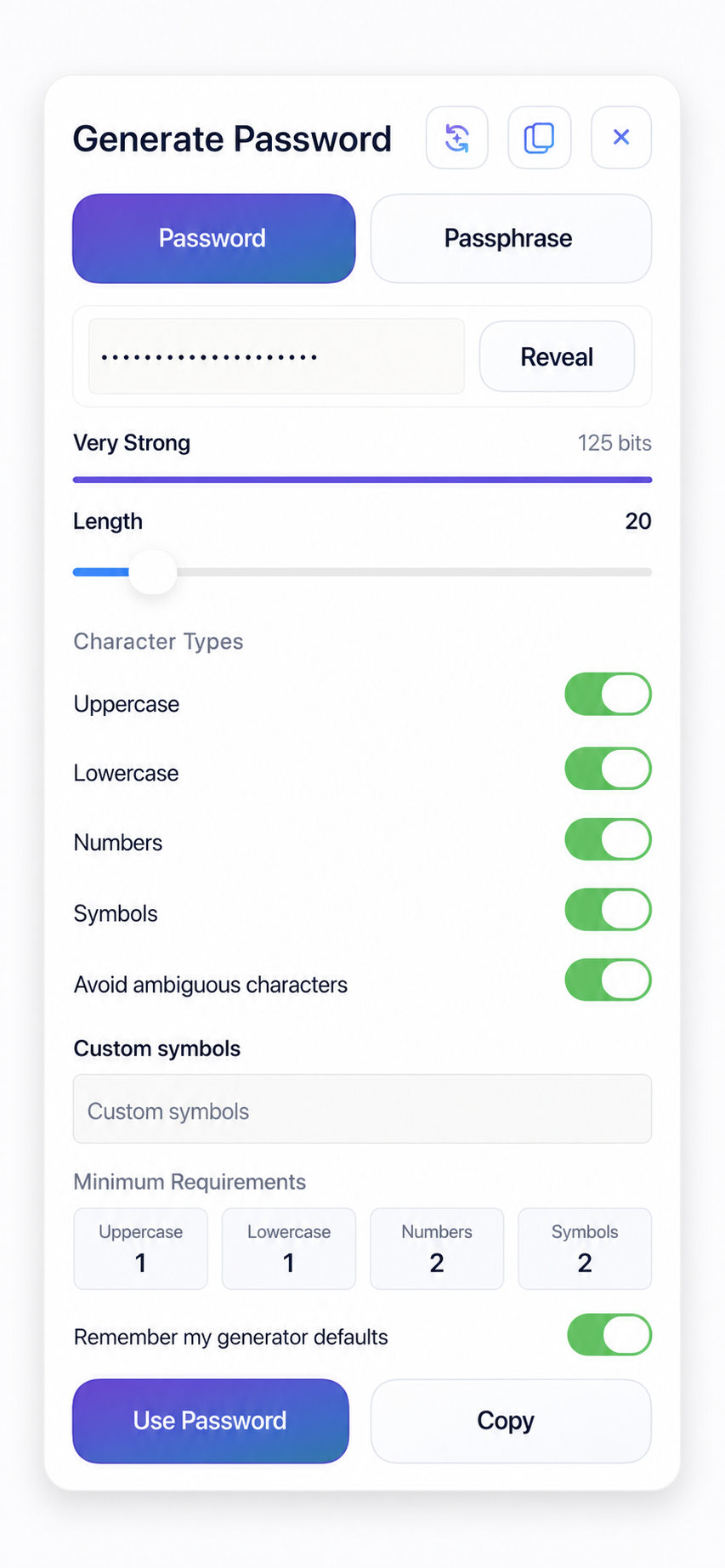
Built-in password generator
Generate a random password or a readable multi-word passphrase inside the secret editor. Adjust the rules, see a strength estimate, and place it into the secret with one click.
How It Works
No registration form. No MystSafe login. No master password to remember.
No registration.
No email address.
No MystSafe account.
Use Face ID, Touch ID, a device passcode, or macOS authentication.
Scan a short-lived, single-use QR code.
Encrypted updates synchronize across your devices.
Free and Pro plans
Both plans use the same security-critical cryptography and receive cryptographic, compatibility, and security updates. Pro adds a Family plan for 6 family members, unlimited devices, unlimited Family Shared secrets, Share Once capacity and controls, and priority support.
Permanent Free plan. Start free with any sync provider, two devices, and one Family member. Upgrade for unlimited devices and up to six Family members.

Private by design. Secure by default. Controlled by your devices.


